Working STBEmu Codes 2027: Latest Portal URL, MAC Address and Complete IPTV Setup Guide
Are you searching for working STBEmu codes, the latest portal addresses, or updated MAC address information? STBEmu is a popular Android application that emulates MAG-style IPTV set-top boxes, allowing users to connect to compatible Stalker portals.
Searches for latest STBEmu codes, updated STBEmu codes, and STBEmu codes today reflect the growing interest in portal configuration and IPTV access. Whether you are a beginner or an experienced IPTV user, understanding how STBEmu works can help you avoid common connection problems.
In 2027, users continue to search for free STBEmu codes, STBEmu portal URLs, MAC addresses, login information, and activation instructions. However, not every portal published online is active or authorized.
This guide explains STBEmu configuration, portal settings, MAC address registration, server connections, and troubleshooting. It also clarifies what users should know before searching for supposedly free or working IPTV access.
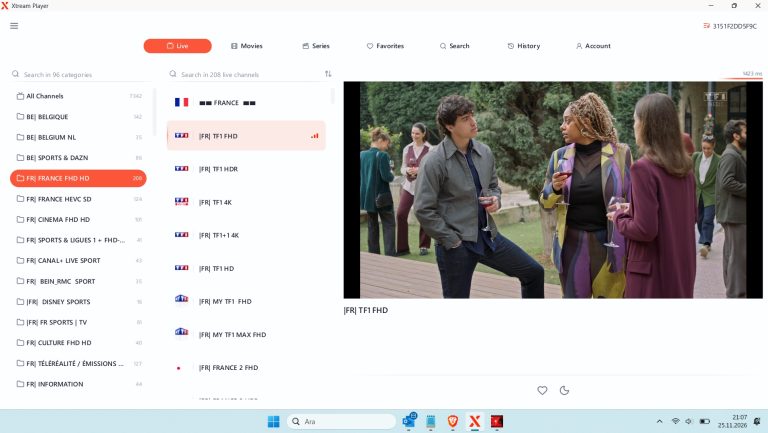
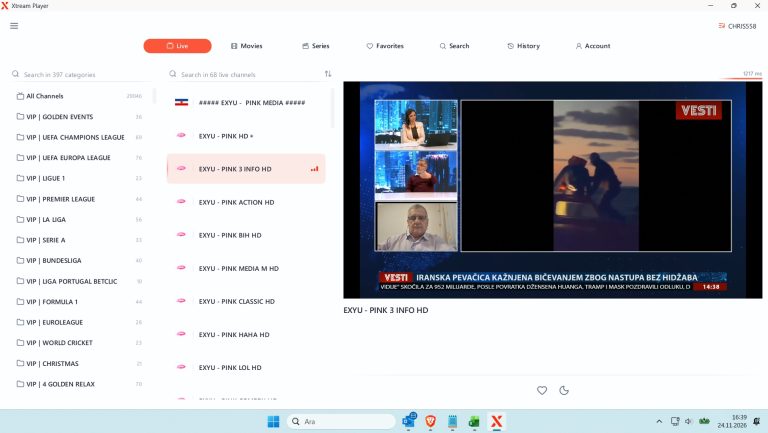
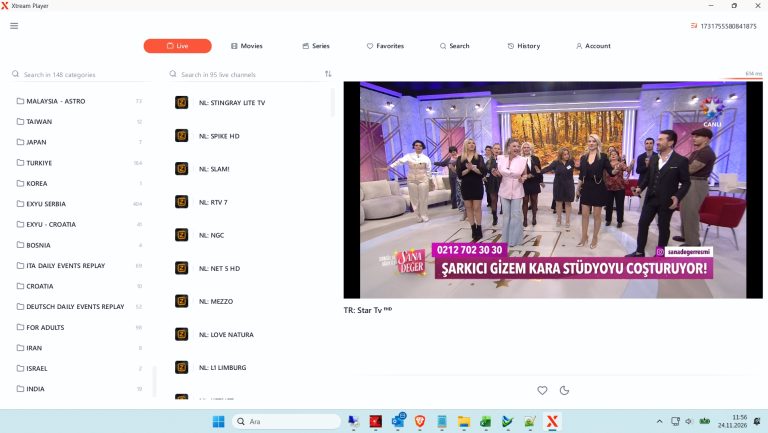
Softwares To Test STBEMU Code
For Android Devices

For Windows
What Are Working STBEmu Codes?
The term working STBEmu codes generally refers to the configuration information required to connect the STBEmu application to an IPTV portal.
Unlike ordinary media players, STBEmu is designed to emulate compatible MAG set-top-box environments.
A typical portal-based configuration involves:
- STBEmu portal URL: The server address supplied by the IPTV provider.
- STBEmu MAC address: The device identifier used by the portal for registration.
- STB configuration: The emulated set-top-box model and related settings.
- Account authorization: Permission from the provider to access its content.
These details must be compatible with each other.
A portal URL alone does not guarantee access. The provider may require a registered MAC address and an active subscription.
It is also important to understand that STBEmu is an application, not an IPTV subscription. It does not independently provide television channels or host playlists.
Latest STBEmu Codes and Updated STBEmu Codes in 2027
Many users search for latest STBEmu codes and updated STBEmu codes because IPTV portal configurations can change over time.
A portal that previously connected successfully may become unavailable because of:
- Server maintenance.
- Provider infrastructure changes.
- Expired subscriptions.
- Device registration updates.
- Incorrect MAC address settings.
- Network or authentication problems.
The phrase STBEmu codes today is often used to find recently published portal information. However, a website’s publication date does not prove that its portal information is currently working.
There is no universal database that guarantees active STBEmu portal access every day.
For accurate information, check your provider’s official announcements and request updated configuration details when necessary.
Free STBEmu Codes: What Should You Know?
Searches for free STBEmu codes are popular among users who want to test the application or explore IPTV services without immediately purchasing a subscription.
Some authorized providers offer temporary demonstrations or free trials. These can help users check device compatibility before choosing a service.
However, random portal URLs and MAC addresses published online should not be treated as guaranteed free access.
A working portal connection may require:
- A valid portal URL.
- A registered MAC address.
- An authorized account.
- An active subscription or trial.
- A compatible device configuration.
Avoid websites promising unlimited premium television access through randomly generated portal information.
Never use another customer’s MAC address or account details without permission.
STBEmu Portal Codes: Understanding Portal URLs
STBEmu portal codes usually refer to the portal configuration information needed to connect the application to a compatible IPTV service.
The most important element is the STBEmu portal URL.
A portal URL identifies the service endpoint that the application communicates with. It should be supplied directly by your authorized provider.
When entering a portal address, check the following:
- Copy the complete URL.
- Include the correct
http://orhttps://prefix. - Avoid accidental spaces.
- Do not replace the provider’s address with its homepage URL.
- Confirm that the portal is intended for STBEmu or a compatible MAG-style device.
The official STBEmu documentation explains that portal URLs are configured through individual profiles. It also provides settings for portal language, emulated device models, and MAC addresses.
STBEmu MAC Codes and MAC Address Configuration
The STBEmu MAC codes search phrase is closely connected to device registration.
A MAC address is an identifier used by some IPTV portals to recognize a compatible emulated set-top box.
Many MAG-style portals expect a MAC address beginning with 00:1A:79, although the exact requirements depend on the provider.
To check your configuration:
- Open STBEmu.
- Navigate to Settings.
- Select Profiles.
- Open the profile you want to configure.
- Select STB Configuration.
- Find the MAC address field.
- Check the value against the registration information supplied by your provider.
The official documentation explains that the application supports a real MAG 250 MAC address or a generated hexadecimal identifier. Some portals impose their own MAC format requirements.
Always use a device identifier that you are authorized to register. Changing an already activated MAC address may prevent the portal from recognizing your device.
STBEmu Login Codes: How Portal Authentication Works
The phrase STBEmu login codes is often used by people looking for the information required to access an IPTV portal.
Unlike a typical username-and-password login, a MAG-style portal connection may identify the emulated device through its registered MAC address.
The provider checks whether the device is authorized and determines which content is available.
A general login process includes:
- Opening the configured STBEmu profile.
- Checking the portal URL.
- Confirming the MAC address.
- Saving the configuration.
- Restarting the application if necessary.
- Waiting for the portal to authenticate the device.
Some providers may use additional account or activation procedures.
There is no universal STBEmu login code that works with every IPTV service.
STBEmu Setup: Step-by-Step Configuration Guide
A correct STBEmu setup is essential for a successful connection.
Follow these general steps when configuring an authorized portal.
Step 1: Install STBEmu
Download the application from a trusted distribution source. Check the developer and application version before installation.
Step 2: Open Profiles
Launch STBEmu and open the application menu. Navigate to Settings and select Profiles.
You can edit the default profile or create another profile for a different authorized portal.
Step 3: Configure the Portal URL
Open Portal Settings and enter the complete address supplied by your provider.
Make sure the URL is correct before saving.
Step 4: Configure the MAC Address
Open STB Configuration and check the MAC address field.
Use the identifier registered with your provider. Do not copy random MAC addresses from public lists.
Step 5: Select the Device Model
Choose an emulated STB model supported by your provider. Some portals require particular device settings or firmware options.
Step 6: Save and Restart
Save the profile and restart STBEmu if required.
The application should then attempt to connect to the configured portal.
STBEmu Configuration: Important Settings
Correct STBEmu configuration can help prevent unnecessary connection errors.
The main settings worth checking include:
| Setting | Purpose |
|---|---|
| Profile name | Identifies the portal profile |
| Portal URL | Specifies the provider’s server |
| MAC address | Identifies the emulated device |
| STB model | Selects the device being emulated |
| Firmware | Configures supported firmware behavior |
| Portal language | Sets the portal interface language |
| Media player | Selects playback behavior |
Most users should avoid changing advanced settings without a specific reason.
If a provider requires a particular STB model or firmware option, follow its instructions.
For additional technical details, consult the official documentation at docs.stbemu.com.
STBEmu Activation Code and STBEmu Activation
Users frequently search for an STBEmu activation code or information about STBEmu activation.
It is important to distinguish application activation from IPTV service authorization.
STBEmu application licensing and an IPTV provider’s portal registration are separate matters.
Depending on the application version and service, you may encounter:
- Application purchase or licensing information.
- Portal registration requirements.
- MAC address activation.
- Provider-specific account authorization.
- Temporary trial access.
A third-party website cannot legitimately generate an activation code for another provider’s protected service.
Use the official application store for application licensing and contact your IPTV provider for portal activation.
Avoid modified applications advertised as unlocked STBEmu Pro versions.
STBEmu Server and STBEmu Server URL
The terms STBEmu server and STBEmu server URL refer to the service endpoint used by the application.
The server URL must match the portal configuration supplied by the provider.
If the wrong address is entered, STBEmu may display a connection error or fail to load the portal interface.
Before changing the server URL, verify:
- The complete address.
- The required protocol.
- Any port number included by the provider.
- Whether the service is undergoing maintenance.
- Whether your account is still authorized.
Never assume that a server address found on an unrelated website is compatible with your account.
STBEmu MAC address list
[+] Panel: http://dragoniptv.de/c/ [+] Mac: 00:1A:79:57:62:92 [+] Exp.: February 16, 2027, 11:41 am [+] ᴍᴀᴄ ꜱᴛᴀᴛᴜꜱ: ᴀᴄᴛɪᴠᴇ ᴍᴀᴄ😝 [+] ᴍ3ᴜ ꜱᴛᴀᴛᴜꜱ: ᴏꜰꜰʟɪɴᴇ😔 [+] ᴄʜᴀɴɴᴇʟCategories: 62 [+] ᴠᴏᴅCategories: 1 [+] ꜱᴇʀɪᴇꜱCategories: 2 [+] m3u_Url:
You can download the rest from the link below.
STBEmu IPTV Setup: Device Compatibility
A successful STBEmu IPTV setup depends on more than the portal address.
The application is designed for supported Android environments and MAG-style portal emulation.
Before configuring it, check:
- Android version compatibility.
- Device performance.
- Available storage.
- Network stability.
- Remote-control support.
- Portal requirements.
The application may be used on compatible Android phones, tablets, TV boxes, and Android TV devices.
For television use, a remote-friendly interface and a stable network connection can improve navigation and playback.
IPTV STBEmu, IPTV Player STBEmu and IPTV App STBEmu
The phrases IPTV STBEmu, IPTV player STBEmu, and IPTV app STBEmu describe different ways users search for the application.
STBEmu is primarily a portal emulator rather than a universal IPTV playlist player.
This distinction matters when choosing an application.
For example:
- STBEmu is designed for compatible portal-based connections.
- M3U playlists require an application that supports the M3U format.
- Xtream Codes username-and-password logins require a compatible Xtream Codes client.
The official STBEmu documentation describes profile and portal configuration rather than a general M3U playlist import system.
Choosing the correct player for your provider’s login method can prevent unnecessary setup problems.
Common STBEmu Server and Login Problems
Even a correctly configured profile can experience temporary connection problems.
Here are some common issues and possible solutions.
Portal URL error
- Check the complete address.
- Confirm the protocol and port.
- Ask the provider whether the portal has changed.
MAC address rejected
- Check the registered MAC address.
- Confirm that the provider has activated the device.
- Avoid changing the identifier after registration.
Portal not loading
- Test your internet connection.
- Restart the application.
- Check the provider’s maintenance announcements.
Authentication failed
- Confirm that your trial or subscription is active.
- Verify the profile settings.
- Contact provider support with the exact error message.
Playback problems
- Check your internet stability.
- Try a supported media player setting.
- Restart the device.
- Confirm that the provider’s stream is available.
Frequently Asked Questions About STBEmu Codes 2027
Where can I find working STBEmu codes?
Obtain portal URLs and device registration details directly from an authorized IPTV provider. Publicly posted portal and MAC combinations are not guaranteed to work.
Are free STBEmu codes available?
Some providers offer authorized free trials, but there is no universal collection of guaranteed free portal credentials.
What is an STBEmu portal URL?
It is the server address used by the application to connect to a compatible IPTV portal.
What is an STBEmu MAC address?
It is the identifier associated with the emulated device. Some portals use it to authorize access.
Does STBEmu require an activation code?
Application licensing and provider portal activation are separate. Follow the official application instructions and your provider’s registration process.
Can STBEmu play M3U playlists?
STBEmu is designed primarily for portal-based connections. Use a dedicated M3U-compatible player when your provider supplies a playlist URL or file.
Is STBEmu available for Android TV?
STBEmu is an Android application, but compatibility depends on the device, Android version, and application requirements.
Conclusion: Choose a Reliable STBEmu Configuration in 2027
Finding working STBEmu codes, latest STBEmu codes, and updated STBEmu codes is only one part of configuring an IPTV application.
A successful connection also requires the correct portal URL, an authorized MAC address, compatible device settings, and an active service.
Whether you are learning STBEmu setup, checking an STBEmu server URL, or configuring STBEmu activation, always use trusted software and provider-supplied information.
Avoid random portal lists, suspicious activation tools, and unauthorized MAC combinations.
For more STBEmu tutorials, configuration instructions, portal guides, and IPTV technology updates, visit stbemuiptv.com.
About the Author