Working M3U Playlist 2026: The Ultimate Guide to Free IPTV Streaming
If you’ve been hunting for a Working M3U Playlist that actually loads channels instead of dead links, you’re in the right place. Free IPTV streaming has exploded in popularity, and 2026 is shaping up to be the biggest year yet for cord-cutters who want premium content without paying a dime.
This guide breaks down everything you need to know about Free M3U Playlist files, where to find Updated M3U Playlist links, and how to load them into your favorite player like TiviMate, Smarters, or VLC.
What Is an M3U Playlist, Really?
Let’s start with the basics. An M3U playlist is simply a plain-text file that stores stream links or local file paths, letting media players load and play items as one ordered playlist.1
It doesn’t contain the actual video — just pointers to where each stream lives.1 That’s why these files are tiny and load instantly.
A basic M3U entry typically looks like this: an #EXTINF metadata line followed by the stream URL.1 IPTV playlists often include extra tags for logos, groups, and EPG data.
- The first line identifies the playlist itself.
- The
#EXTINFline describes the channel.2 - The final line contains the actual stream URL.
That’s it. No proprietary format, no licensing headaches.
Why Free M3U Playlists Are So Popular in 2026
Streaming fatigue is real. Between Netflix price hikes, fragmented libraries, and regional lockouts, people are looking for alternatives.
A Free IPTV M3U playlist gives you legal access to hundreds or even thousands of publicly broadcast channels — news, sports, public TV — with zero subscriptions.3
- No account required.
- No monthly fee.
- Works across virtually every device.
- Loads in seconds.
The M3U Playlist 2026 ecosystem has matured massively. Community projects like iptv-org now index thousands of verified public streams by country, language, and category.3
Where to Find Working M3U Playlists
Not all lists are created equal. The genuinely safe playlists come from maintained public sources rather than anonymous mega-lists.3
Here are the best known sources for Free M3U Links:
- iptv-org — massive breadth, thousands of channels split by region.3
- Free-TV — a curated, leaner alternative without the firehose feel.3
- FAST service exports — Pluto TV, LG Channels, Xumo, and The Roku Channel lineups exported as M3U.3
These Free M3U URLs are community-maintained, which means quality varies — but they’re the safest bet for stable streaming.
Why “Free” Doesn’t Mean “Useless”
Free public IPTV playlists contain channels that broadcasters make publicly available online — news, public television, and similar streams.4 You’re not getting pirated feeds; you’re getting official ones.
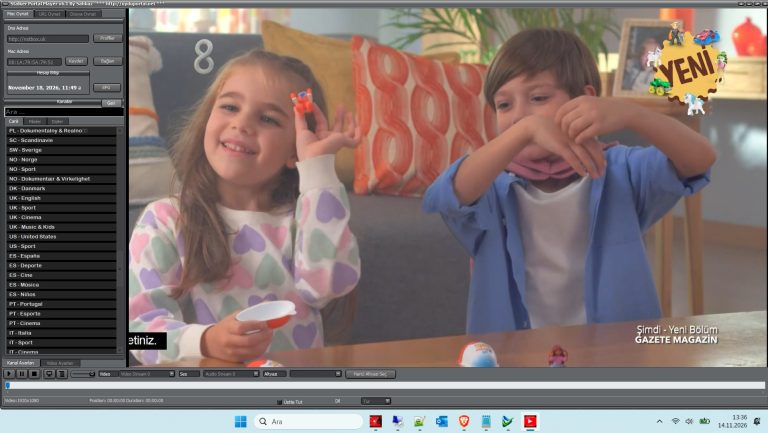
Windows IPTV Player Download

Windows IPTV Player 3.0 Download
Working M3U Playlist 2026
👤 www.stbemuiptv.com
━━━━━━━━━━━━━━━━━━
• 𝙋𝙤𝙧𝙩𝙖𝙡 : http://bluenkoby11.com
• 𝘾𝙧𝙚𝙖𝙩𝙚𝙙 : 22/03/2026
• 𝙀𝙭𝙥 : 22/03/2028
• 𝙐𝙨𝙚𝙧 : ilkerruzgar
• 𝙋𝙖𝙨𝙨 : nCFsC6yz2J
• 𝘾𝙤𝙣𝙣 : 0
• 𝙈𝙖𝙭𝘾𝙤𝙣𝙣 : 1
• 𝙋𝙤𝙧𝙩 : 2095
• 𝙎𝙩𝙖𝙩𝙪𝙨 : # OK ✅
Download Link
You can watch the video below to download the file.
How to Verify a Playlist Actually Works
The biggest frustration with free lists? Dead streams. Here’s a fast workflow to filter garbage before it clutters your setup:
- Validate the file — paste it into an M3U validator to count malformed lines and duplicates.3
- Inspect the groups — load it in a channel viewer so you don’t discover your “sports” section is 90% home shopping.3
- Test reachability — run it through an IPTV checker to measure latency from a real network and trim dead entries.3
- Refresh daily — because these are free lists, expect churn.5
Using an Updated M3U Playlist or Daily Free M3U source dramatically improves your success rate.
Setting Up Your Playlist in TiviMate, Smarters, and VLC
A Free M3U Playlist for TiviMate or Smarters is incredibly easy to load. Most apps follow the same pattern:
- Open the app’s settings.
- Find “Add Playlist.”
- Paste your Free M3U URL.
- Save and let it load.
For VLC specifically: go to Media > Open Network Stream, paste the URL, and click Play.1 Press Ctrl+L to browse the full playlist view.1
For Kodi users, you’ll need the PVR IPTV Simple Client add-on. Enable it, then paste your URL into the M3U Playlist URL field.1
The beauty of the format is universal compatibility — the same file works in VLC, Kodi, TiviMate, and virtually every other app because they all read M3U.3
M3U vs. Xtream Codes: What’s the Difference?
This trips up a lot of beginners. An M3U playlist is a static file — a list of URLs that you load directly.
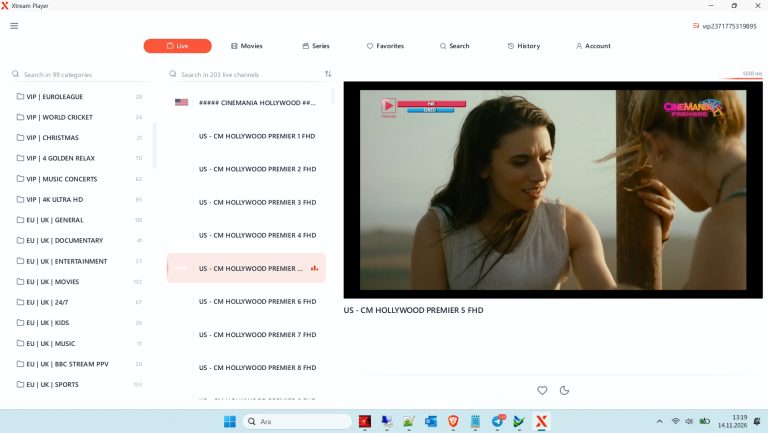
Xtream Codes is a different beast entirely. It’s a login-based system where you enter a server URL, username, and password, and the player fetches your channel list dynamically.3
- M3U = one link, instant load, easy to share.
- Xtream Codes = login credentials, usually tied to a paid service.
Many Free Xtream Codes exist too, but they expire faster than public M3U lists because they’re tied to individual servers. Xtream Codes IPTV setups tend to be more polished with better EPG integration.
For free streaming, Free IPTV M3U playlists win on reliability. For paid and premium content, Xtream is the standard.
Understanding M3U8 and Adaptive Streaming
You’ll often see M3U8 Playlist Free files floating around. M3U8 is just the UTF-8 encoded version of M3U — same idea, same format.1
When you select a channel from an M3U playlist, the player sends a request to the streaming server, which responds with an M3U8 file containing links to video segments.6 Combined with adaptive bitrate streaming, quality adjusts automatically based on your internet speed.6
That’s why M3U8 Playlist Free works so smoothly even on modest connections.
Common Problems and Fixes
Streams won’t load? Public IPTV streams are maintained by individual broadcasters, so they can go offline, change URLs, or become geo-blocked.4 Try a different playlist or use a VPN.
Playlist keeps dying? Free lists change frequently. Individual streams may become unavailable, move to a different URL, or require a specific region.5
Buffer city? Check your network first. If it’s the stream, try a lower-bitrate alternate. Many playlists offer multiple quality options per channel.
Is it safe? An .m3u file is text-based and not executable, so it’s extremely unlikely to contain malware.7 The iptv-org project on GitHub has a huge community — if there were malicious code, it would be caught fast.7
The Best Free M3U Playlist Strategy for 2026
Here’s how seasoned streamers stay ahead:
- Run a daily rotation. Use 2–3 Best Free M3U Playlist sources and check them every morning.
- Bookmark your favorites. Set aside dedicated sources for news, sports, and international channels.
- Add an EPG. Match your EPG URL to the playlist’s region or you’ll get broken program info.5
- Use a dedicated player. Don’t fight with browser-based viewers when apps like TiviMate handle M3U natively and gracefully.
- Update monthly. A Best Working Free M3U 2026 list from January will be half-dead by June.
Picking the Right Device
The same M3U URL works on any device once added.7 Here’s where most users land:
- Android TV / Firestick — best experience with TiviMate or IPTV Smarters.
- Desktop — VLC and Kodi dominate.8
- Smart TV — Smart IPTV app works but is clunkier.
- Mobile — Smarters and GSE Smart IPTV handle M3U fine.
Final Thoughts on Working M3U Playlists
Finding a Working Free M3U 2026 list isn’t hard — finding one that stays working is. The secret is using maintained community sources, verifying streams before you commit, and refreshing daily.^6,^8^
Free IPTV M3U streaming in 2026 is genuinely excellent if you do it right. You get thousands of legal channels across news, sports, and international content, all for zero cost.^2,^6^
Whether you’re setting up a Free M3U Playlist for TiviMate, loading URLs into VLC, or exploring Free Xtream Codes 2026 as a complement, the tools are all there. The only variable is how carefully you curate your sources.
Stay updated, verify often, and enjoy the free ride.
Want a deeper dive into specific player setups, EPG matching, or how to build your own M3U from scratch? That’s the natural next step once you’ve got a reliable playlist running.
About the Author